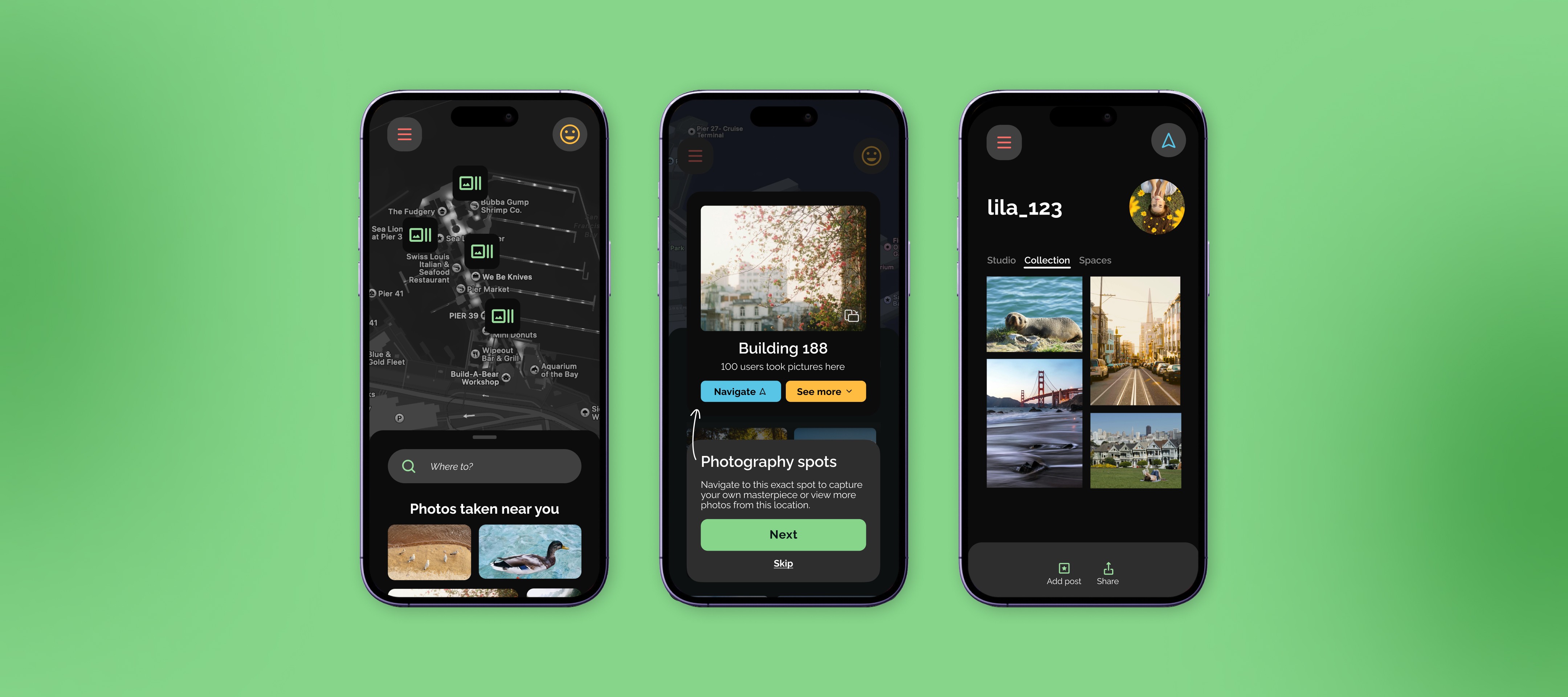
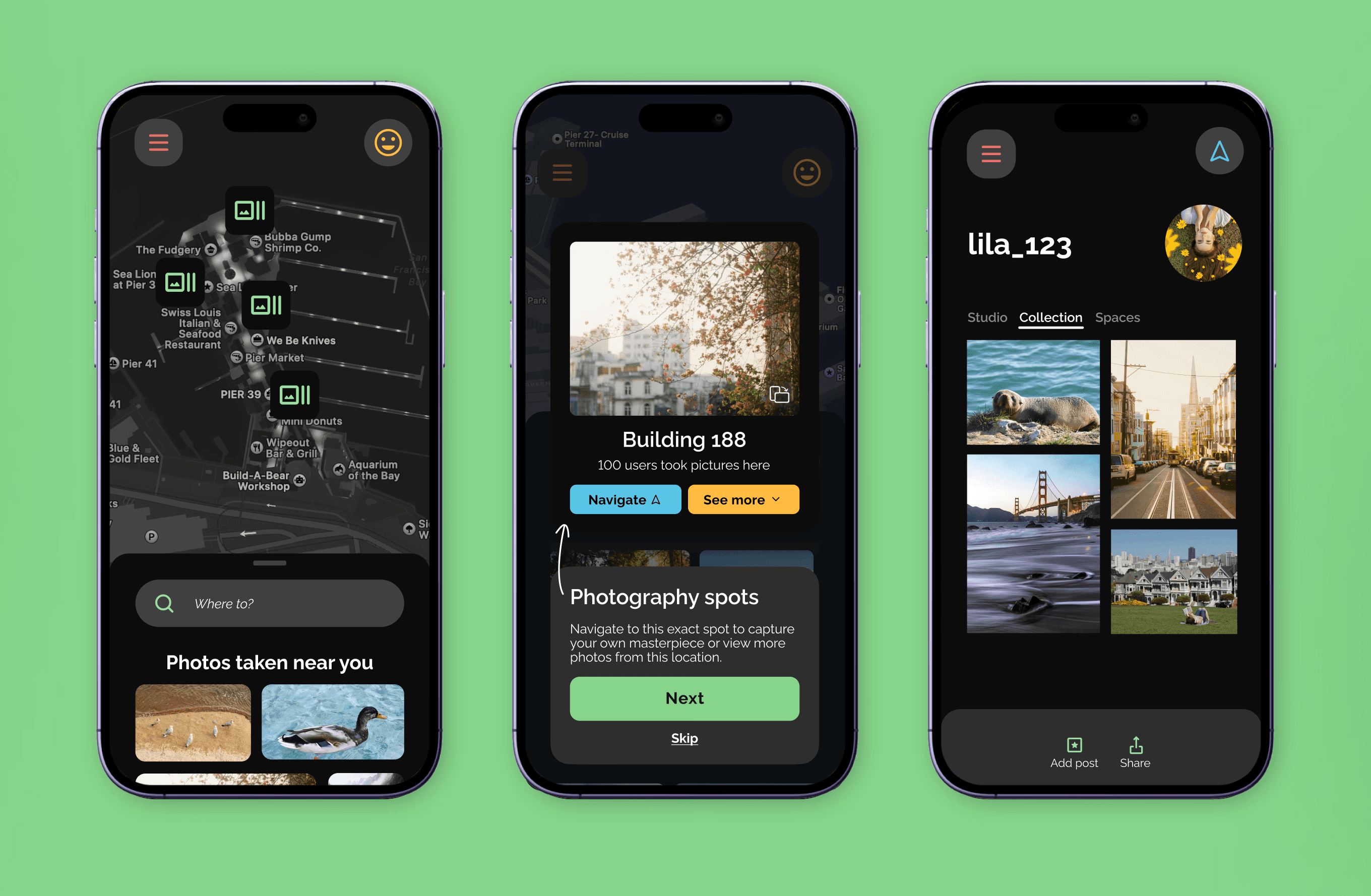
Wander
Using behavioral psychology to transform scattered photo workflows into intentional creative practice
An 8-week dual-project combining behavioral design principles with strategic app architecture. Starting with a constraint to mash up two dissimilar apps (Waze + VSCO), I designed a comprehensive platform that transforms scattered photo workflows into intentional creative practice—then crafted a first-time user experience that drives sustained engagement through ethical psychological triggers.
Duration
8 weeks
Role
Solo: UX/Product Designer & Researcher
Tools
Figma, FigJam
SKILLS
Behavioral Psychology, UX Research, Microinteractions
PROBLEM
Photography workflows kill creative momentum
Photography enthusiasts juggle multiple apps during their creative process which kills creative momentum and wastes time when the perfect lighting is fleeting.
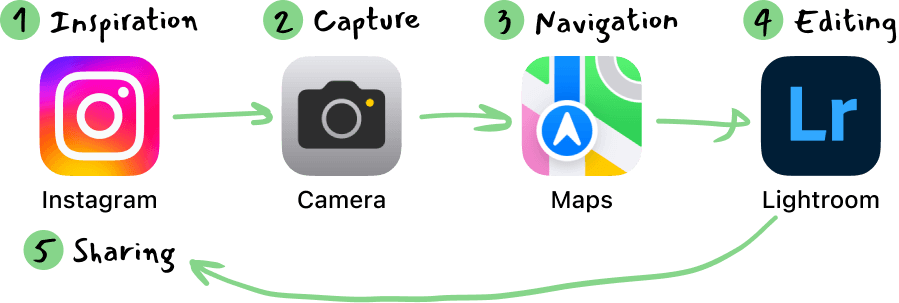
My challenge: Design for a user group I don't personally relate to while creating something genuinely useful, not just a feature mashup that meets class requirements.
How might we
help photography enthusiasts seamlessly discover, navigate to, and capture beautiful moments without losing their creative flow?
SOLUTION
What if wandering was smarter?
Before jumping to solutions, I needed to understand the deeper opportunity. The quote "Not all who wander are lost" sparked a realization— what if there was a way to wander into the perfect shot... on purpose? This insight shaped my approach: design a behavior-change tool that elevates photography from casual hobby to intentional creative practice, using the app mashup constraint as a strategic advantage rather than limitation.
Research & analysis
Two apps, infinite possibilities
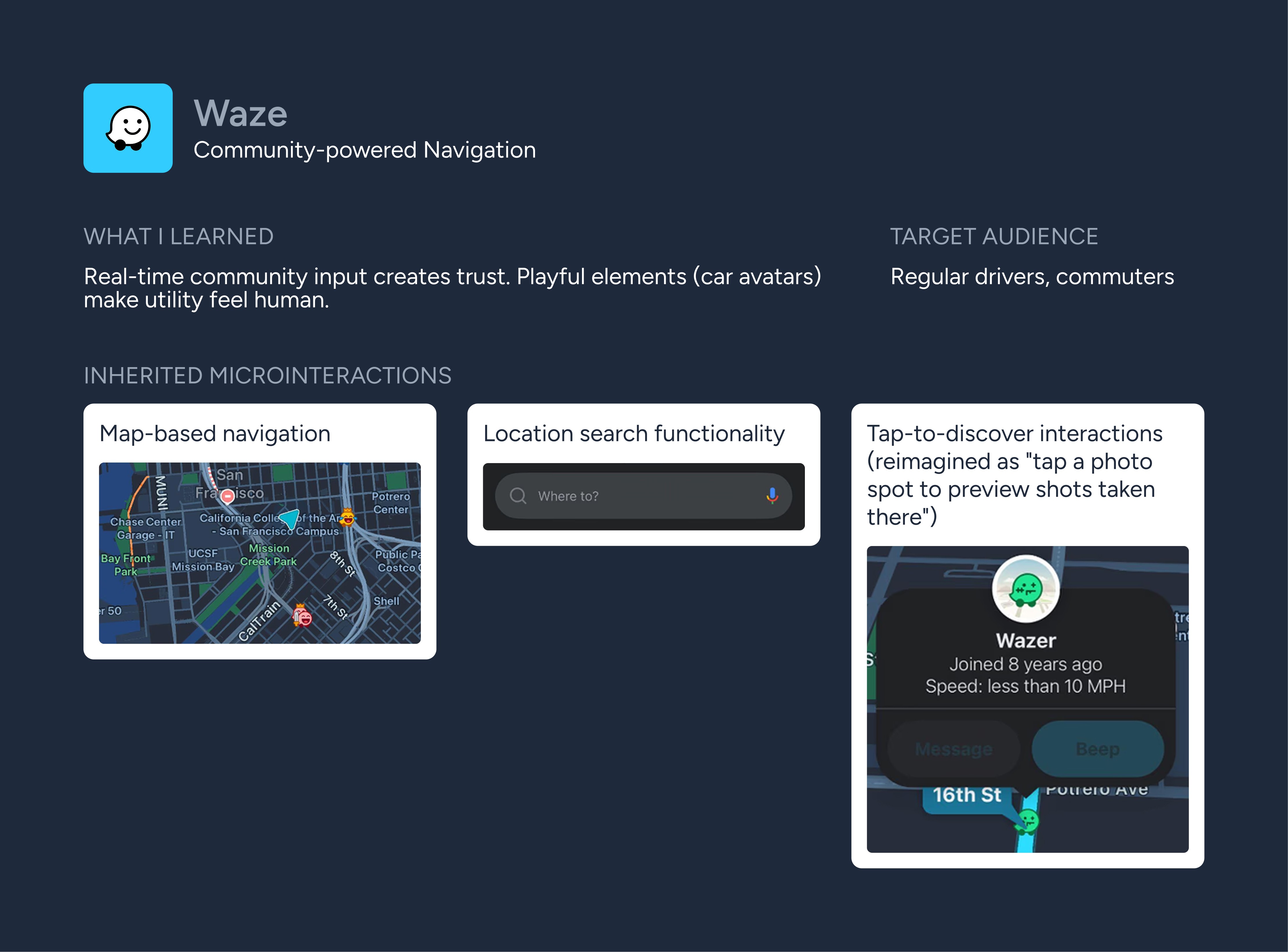
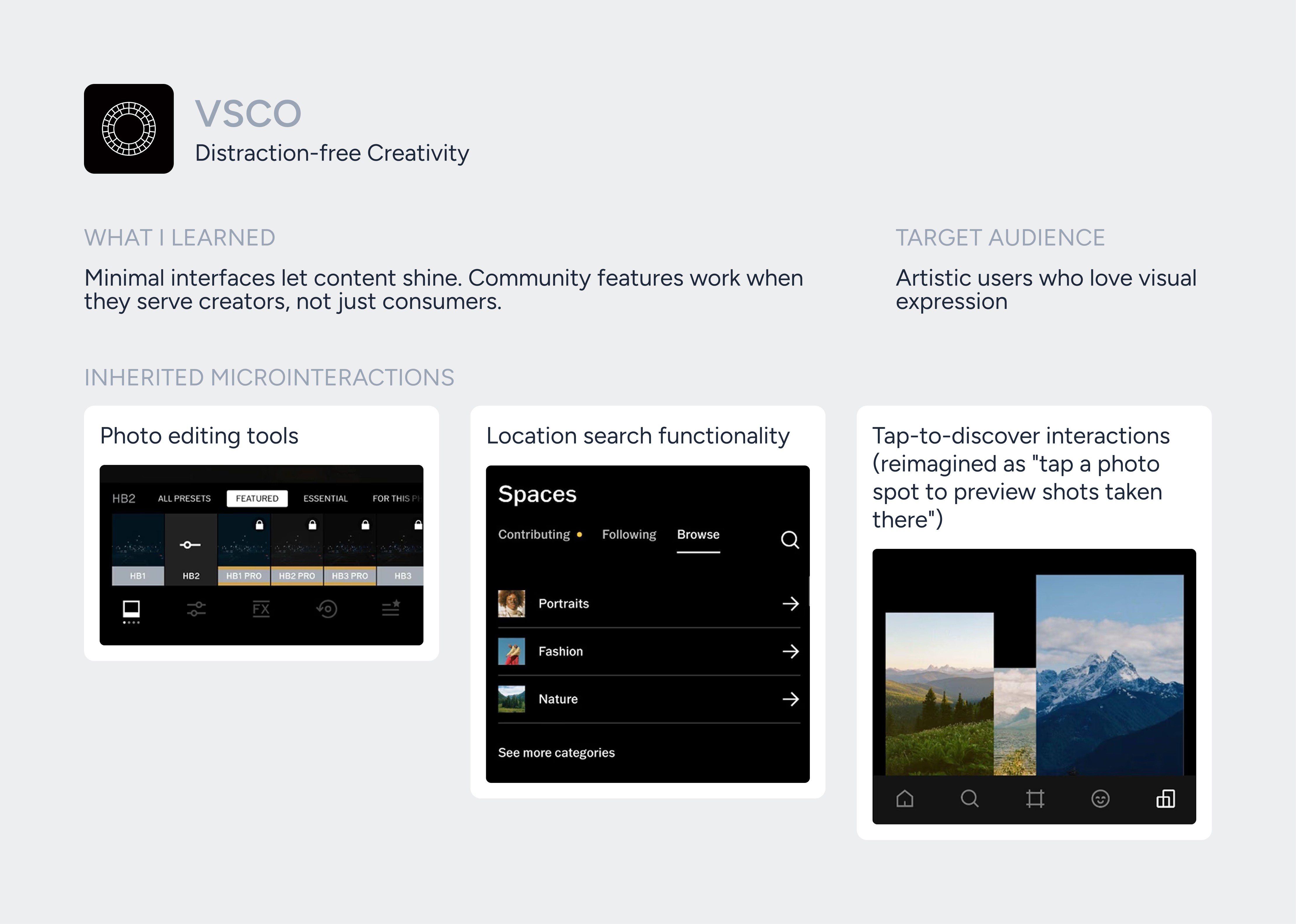
My class constraint was to mash up two dissimilar apps, but which ones? I deliberately chose Waze and VSCO (platforms I wasn't familiar with) to force objective analysis without design bias.
Research Methodology
Functional analysis
What do these apps actually do well?
Interaction mapping
Which micro-interactions create user delight?
Psychology assessment
What behavioral triggers keep users engaged?
This analysis gave me building blocks, but I needed real user needs to combine them meaningfully.
user research
What photographers struggle with
Rather than make assumptions about photographers (a group I don't relate to), I interviewed 3 photography enthusiasts to understand their location-finding process. The struggles were universal:
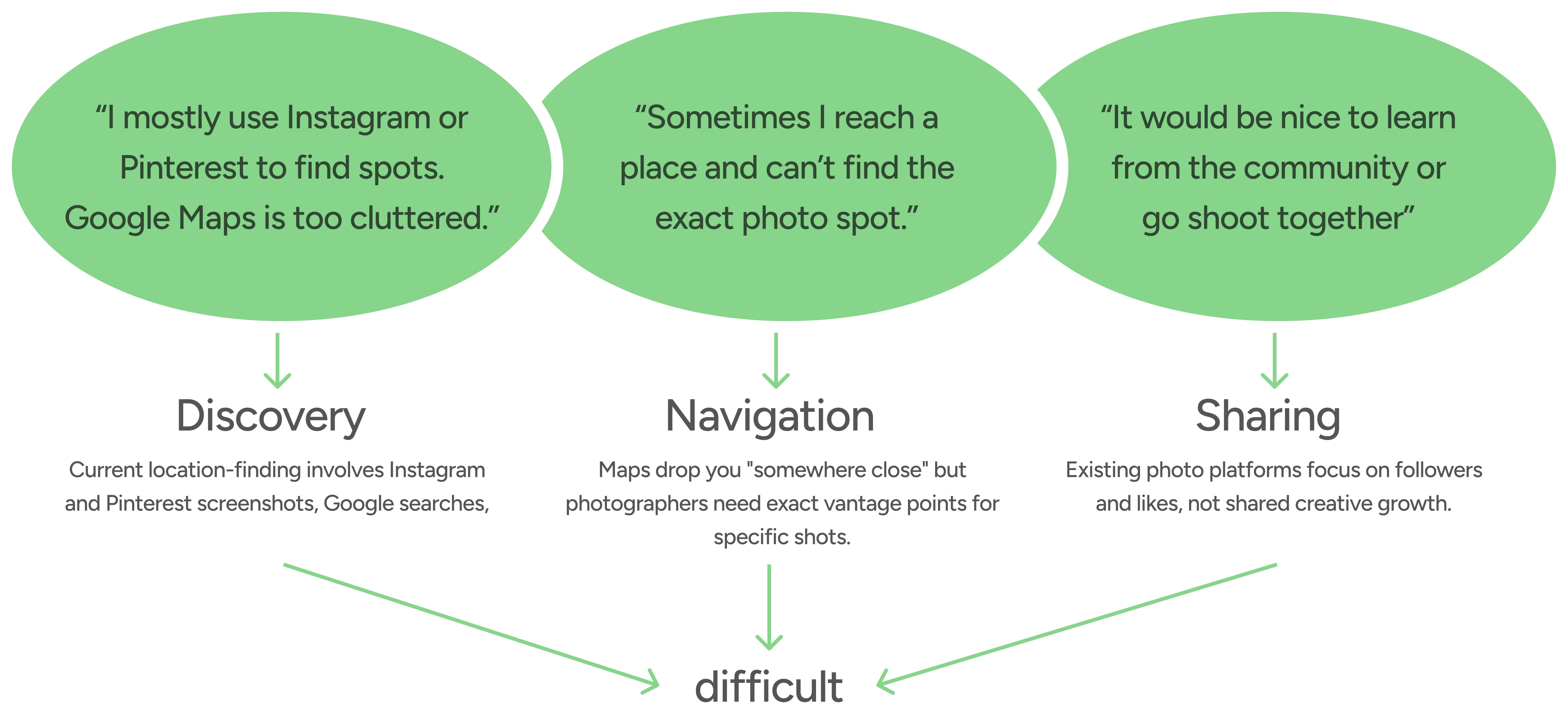
These insights validated the app-switching problem but revealed something more fundamental: photographers felt disconnected from purposeful creative community.
Persona
Meet Lila: The Photographer I Designed For
I created Lila to synthesize insights into a clear user archetype that guided every design decision: "Does this solve Lila's core problems?"
Lila is 20 year old college student with interests in:
#Photography📸
#Travel✈️
#Explore🗺️
The Psychology Behind Engagement
With user needs clear, I could think strategically about when someone like Lila would use Wander. She would likely download during two emotional states:
1
Creative stagnation
Weekend boredom, Instagram-induced inadequacy
2
Inspiration overflow
Seeing amazing content and wanting to recreate it
The trigger map: I identified specific download moments

The critical insight is that users need Wander most when they are emotionally motivated to break their creative routine. The entry point is emotional.
Storyboard
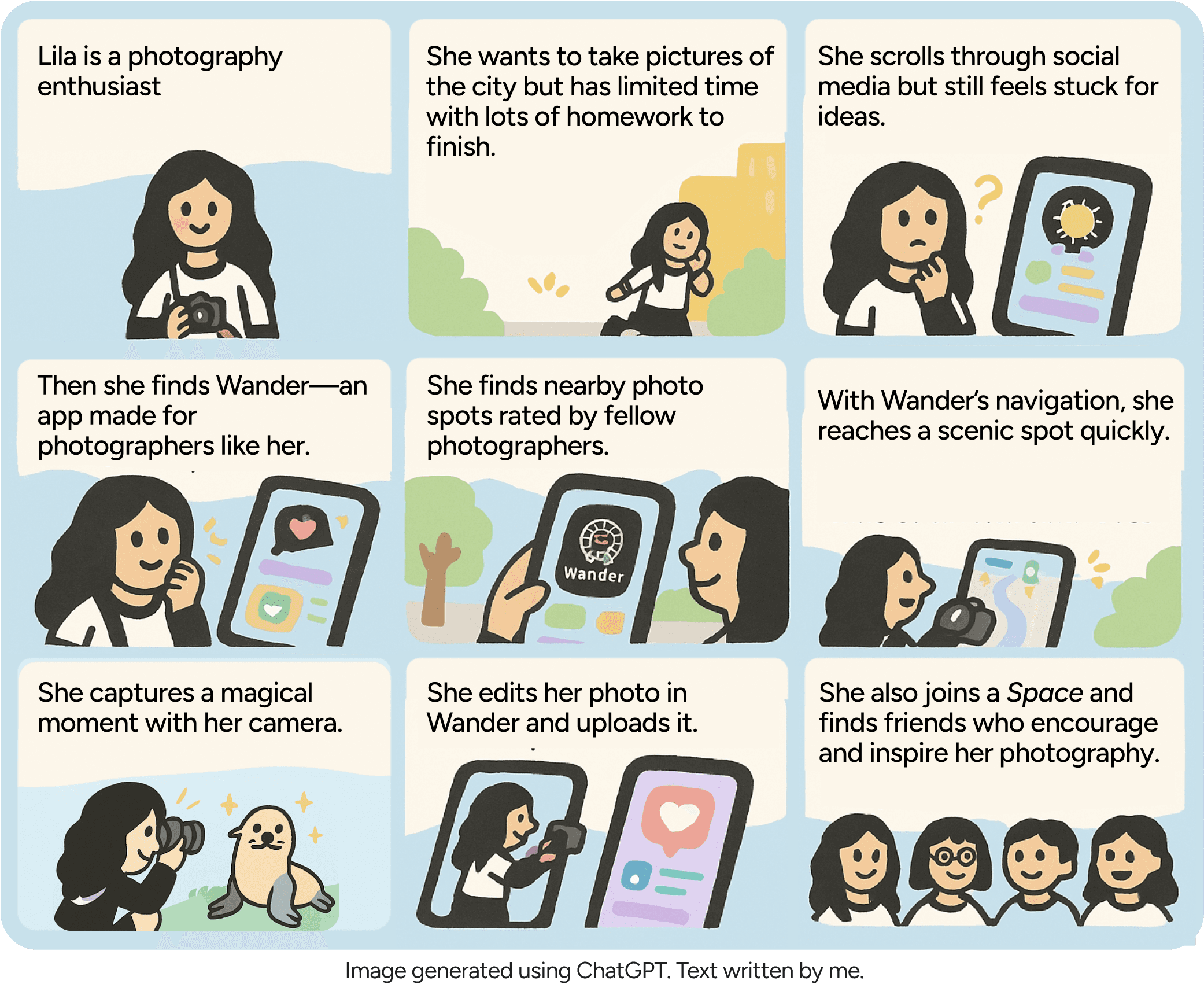
I visualized Lila's complete journey to highlight key user touchpoints and emotions. This end-to-end view revealed the true product requirement: seamless emotional flow, not just feature integration.
Process
When 1 + 1 = 3 in app design
Solving the personality conflict: My design system merged Waze's approachable warmth with VSCO's sophisticated minimalism—photos remain the hero while maintaining friendly functionality during potentially frustrating navigation moments.
Information architecture decision: Initially, I tried tabbed interface combining all features. This created cognitive overload. Photography has two distinct mindsets—gathering inspiration (Navigate) and creative work (Studio).
The breakthrough: Mode-based architecture matching user mental states rather than forcing users to adapt to interface limitations.
Color psychology
Dark backgrounds (VSCO influence) make photos pop, while warm accent colors (Waze influence) maintain friendliness during potentially frustrating navigation moments.
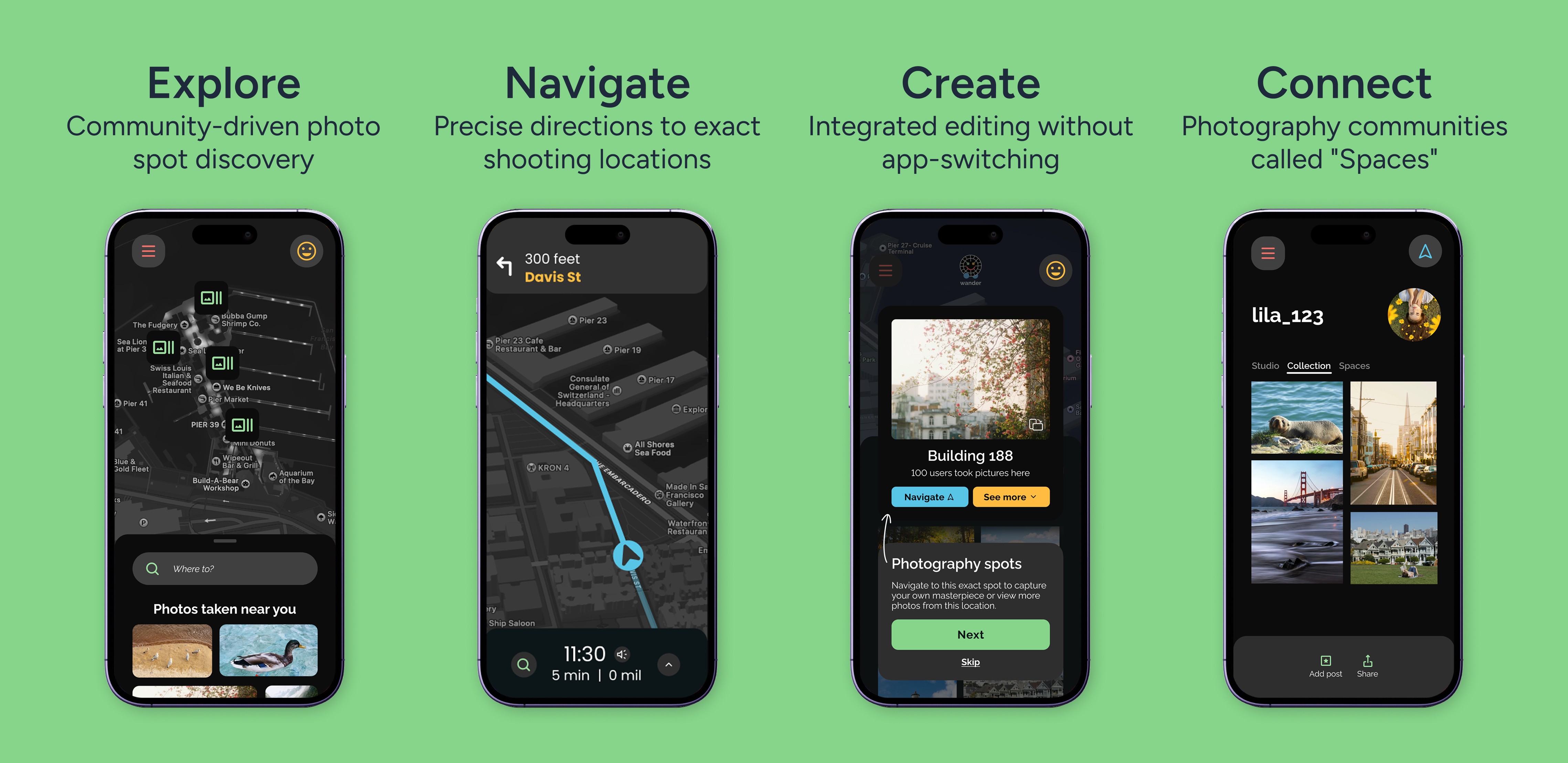
Four core flows addressing specific pain points:
Discovery feed
Addresses "scattered discovery tools" pain point
Precise navigation
Solves "vague directions" frustration
Community spaces
Fulfills "creative connection" need
Integrated editing
Eliminates "app-switching" friction
Behavior design
Using Fogg's model to drive engagement
How do I ensure this isn't just another app that gets downloaded and forgotten? Every interaction had to encourage continued use through ethical psychological principles while avoiding manipulative dark patterns.
B
Sustained photography engagement
=
M
Social recognition, progress visualization, variable rewards
A
One-tap discovery, precise GPS, integrated editing
P
Context-aware notifications, social triggers, time-based reminders
Here's where my behavioral design strategy comes to life. Each screen demonstrates the investment escalation model— carefully designed to create desire before commitment while using variable rewards to maintain engagement. Let me walk you through how the FTUE strategy transforms curious visitors into committed Wanderers.
Investment Strategy: Location permission first
FTUE Philosophy: Don't overwhelm users with everything at once.
Investment: Contact information
Variable Rewards: Access to member-only content
Users explore on their own time and post their first photo in Collection, join a Space, and opt into notifications, earning the "Community Joiner" award. Each step increases investment while providing immediate variable rewards—the psychological foundation for continued engagement, exactly what Fogg's model predicts works.
Investment: Notification permission
Variable reward: In-app award/ recognition "Community Joiner" award
This FTUE strategy creates what I call the "inspiration-to-validation loop", users feel inspired by beautiful locations, navigate to create their own content, and receive community validation. That psychological cycle keeps them coming back, transforming casual photographers into intentional creative explorers.
Impact
Measuring behavior change through design
If launched, I would track behaviors not just usage:
Navigation completion rate (Are users actually going places?)
Photo upload frequency (Are they creating, not just consuming?)
Space participation (Are they building community?)
Referral rate (Are they evangelizing?)
Each metric represents successful behavior modification. If users navigate to locations, create content, and invite friends, we've changed how they approach photography—not just given them another tool.
Validation approach
A/B testing on key microinteractions, especially the photo marker tap interaction. Does the preview create enough desire to drive navigation?
Early validation: Informal user feedback confirmed low-friction onboarding with high perceived value—"The signup is so simple" and "These features are really cool."
Next iteration priorities
Usability testing focus: Do users intuitively tap photo spots?
AR exploration: Spatial discovery for hard-to-find locations
Advanced community features: Photographer meetups, collaborative shoots
The learning mindset: Each iteration teaches us more about the intersection of geography, creativity, and community.
Reflection
Psychology-driven design principles
What this project taught me about design:
Challenge-driven growth
Working with unfamiliar apps forced me to analyze interactions objectively rather than relying on assumptions. This constraint-based approach revealed insights I would have missed otherwise.
Behavior > Features mindset shift
I stopped asking "what should this app do?" and started asking "what behavior do we want to encourage?" This reframing changed every design decision.
Details create delight
The difference between good and great lies in microinteractions. The subtle animation when a photo marker reveals location previews—that half-second moment determines user retention.
Community is core, not cosmetic
Social features aren't add-ons; they're the fundamental reason users return. Wander succeeds when photographers feel part of something larger than themselves.
The empathy challenge
Designing for users unlike yourself requires systematic research, not intuition. Creating Lila forced me to base decisions on data, not assumptions.
The bigger insight
Exceptional products don't just solve problems—they change how people think about the problem itself. Wander transforms "Where should I take photos?" into "How can I discover new creative perspectives?"
When photographers seamlessly move from inspiration → creation → community, they go beyond using an app— they practice more intentional creativity. That is the transformational impact I want all my design work to achieve.
Desire before commitment, value before investment.